A cursor that moves like it was animated.
SmoothCapture records the cursor separately from the screen, so you can smooth its path, change its size and style, and add click effects after you record without re-recording anything.
macOS 15.2+ • free to try • pay once from $49
Smooth or classic motion
Smooth glides the cursor between positions. Classic keeps its raw path for tutorials where every movement matters.
Size and style
Scale the cursor from 50% to 200% and pick a set: macOS, System, Fancy, Touch for mobile demos, or the Pumpkin, Ghost and Slime sets.
Click ripple and sound
Show a ripple on every click and add a click sound with its own volume.
Hide when idle
Auto-hide fades the cursor out when it stops moving. You can also hide it for one clip only.
Follow the text caret
When you type, the cursor can follow the text caret so the viewer looks where the words appear.
Magnify, lens and fire trail
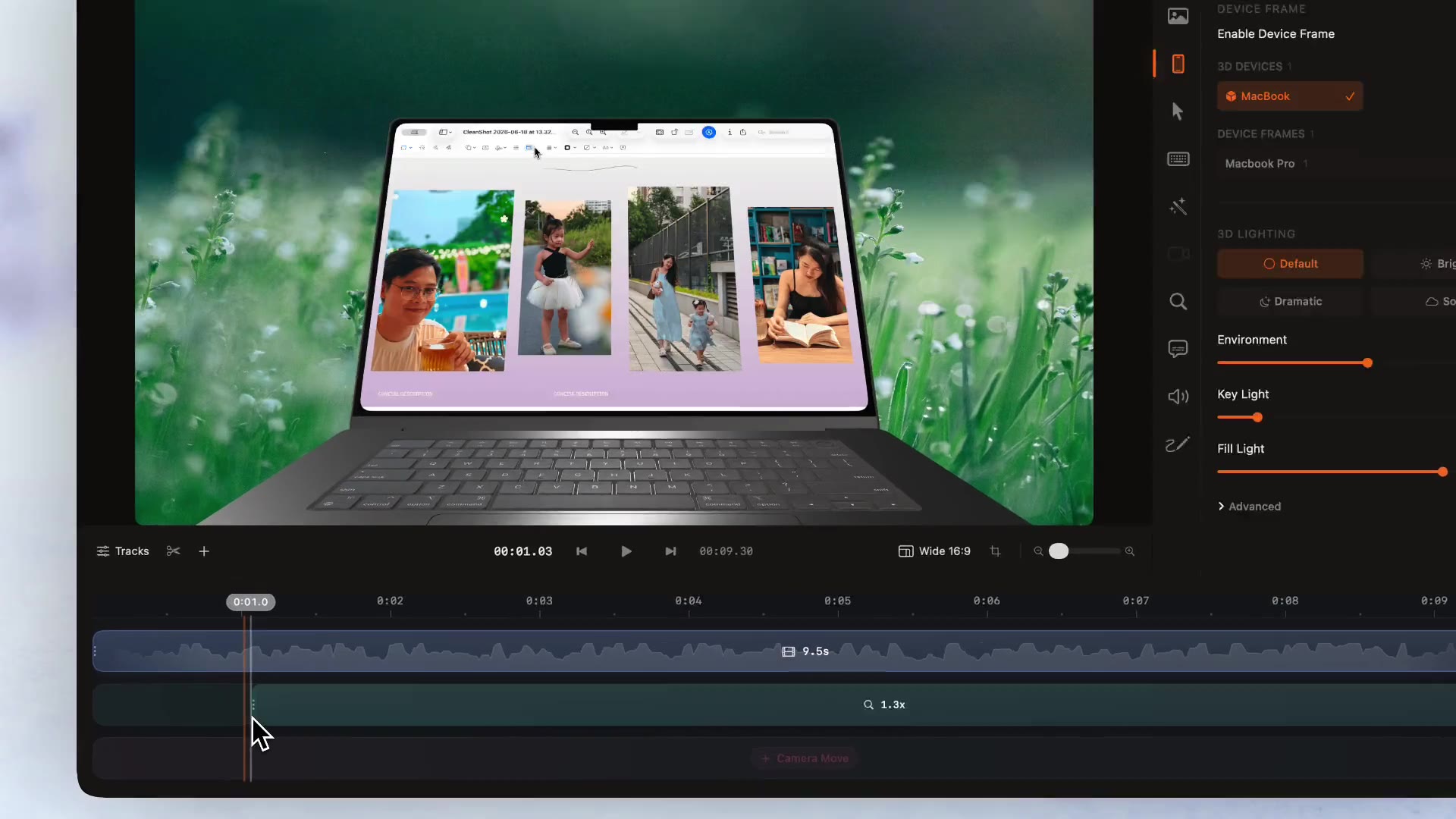
Add Magnify, Lens Distortion or Light Box blocks on the Effect track, a particle Fire Trail, and motion blur on the cursor, screen and device.
How it works
- 01
Open the Cursor tab
Select a clip and open Cursor in the inspector. Choose a cursor set, scale and motion type, then switch on Click Ripple, Click Sound and Auto-hide.
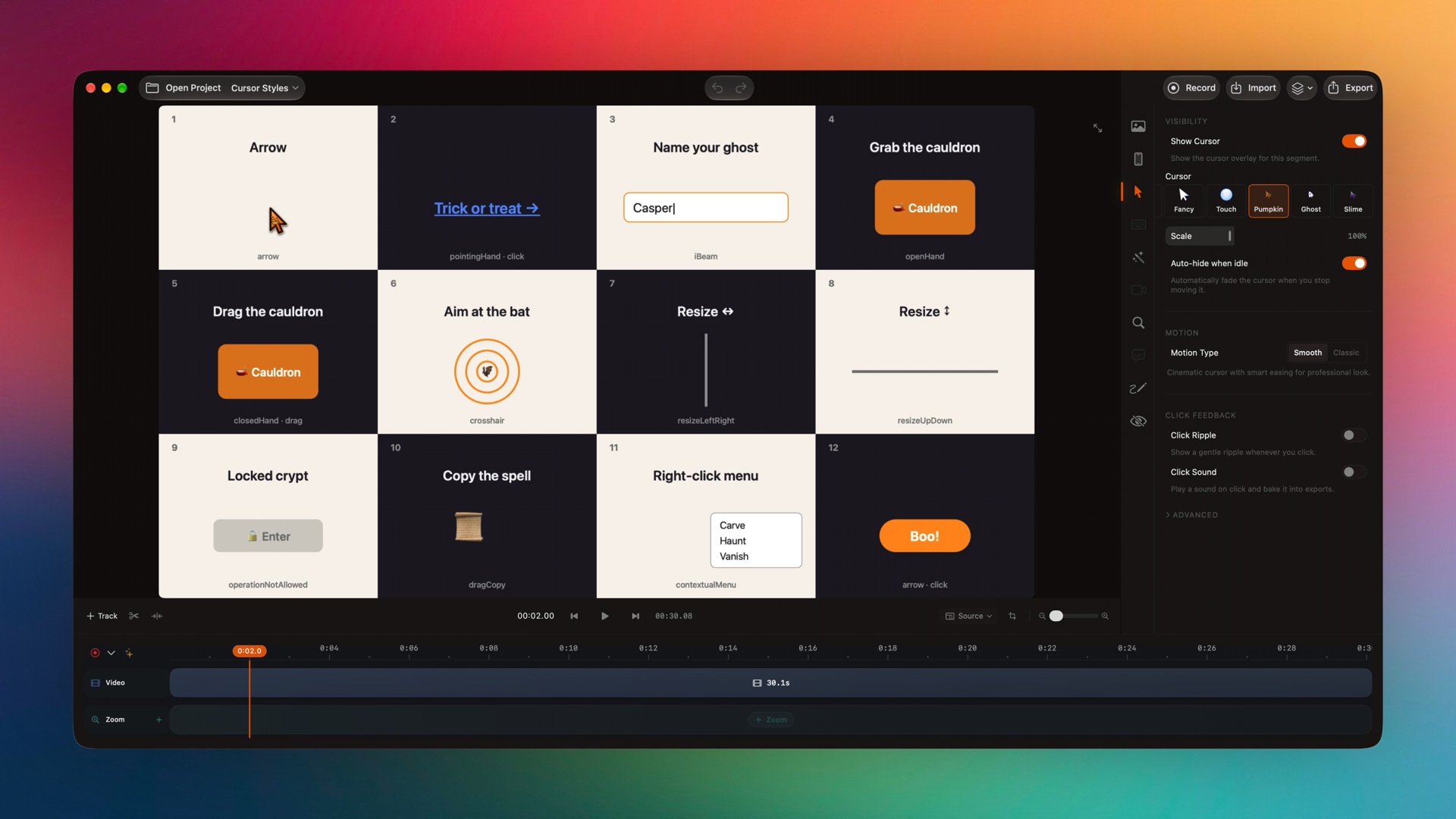
Captured from the editor with smoothcapture cli screenshot --pretty. - 02
Try another cursor set
Cursor sets change every cursor shape at once, from the arrow to the I-beam, the grab hand and the resize arrows.
- 03
Add a lens or magnifier
Add an Effect block where you want the viewer to look closer, then set its radius and intensity. A hard cut makes it appear without easing.
Common questions.
Can I change the cursor after recording?
Yes. The cursor is recorded as data, not burned into the video, so its size, style, smoothing and click effects can all change after you stop.
Can I hide the cursor completely?
Yes. Turn off Show Cursor for a clip, or use Auto-hide when idle so it fades out whenever it stops moving.
Is there a cursor for mobile demos?
Yes. The Touch set shows a soft touch indicator instead of an arrow, and SmoothCapture switches to it automatically when you record the iOS Simulator.
Recording iPhone and the SimulatorCan I add a click sound?
Yes. Turn on Click Sound in the Cursor tab and set its volume. It plays on every recorded click.
What if the cursor runs ahead of the screen?
Use Visual Delay to shift the cursor from half a second earlier to half a second later so it lines up with the picture.
Works well with
Try it on your own recording.
Record and edit for free. A licence unlocks export.
