3D Device Frame Screen Recording
Record your screen inside stunning 3D device mockups. SmoothCapture wraps your recordings in realistic iPhone, iPad, and MacBook frames with perspective, shadows, and reflections — perfect for app demos, App Store previews, and marketing videos.
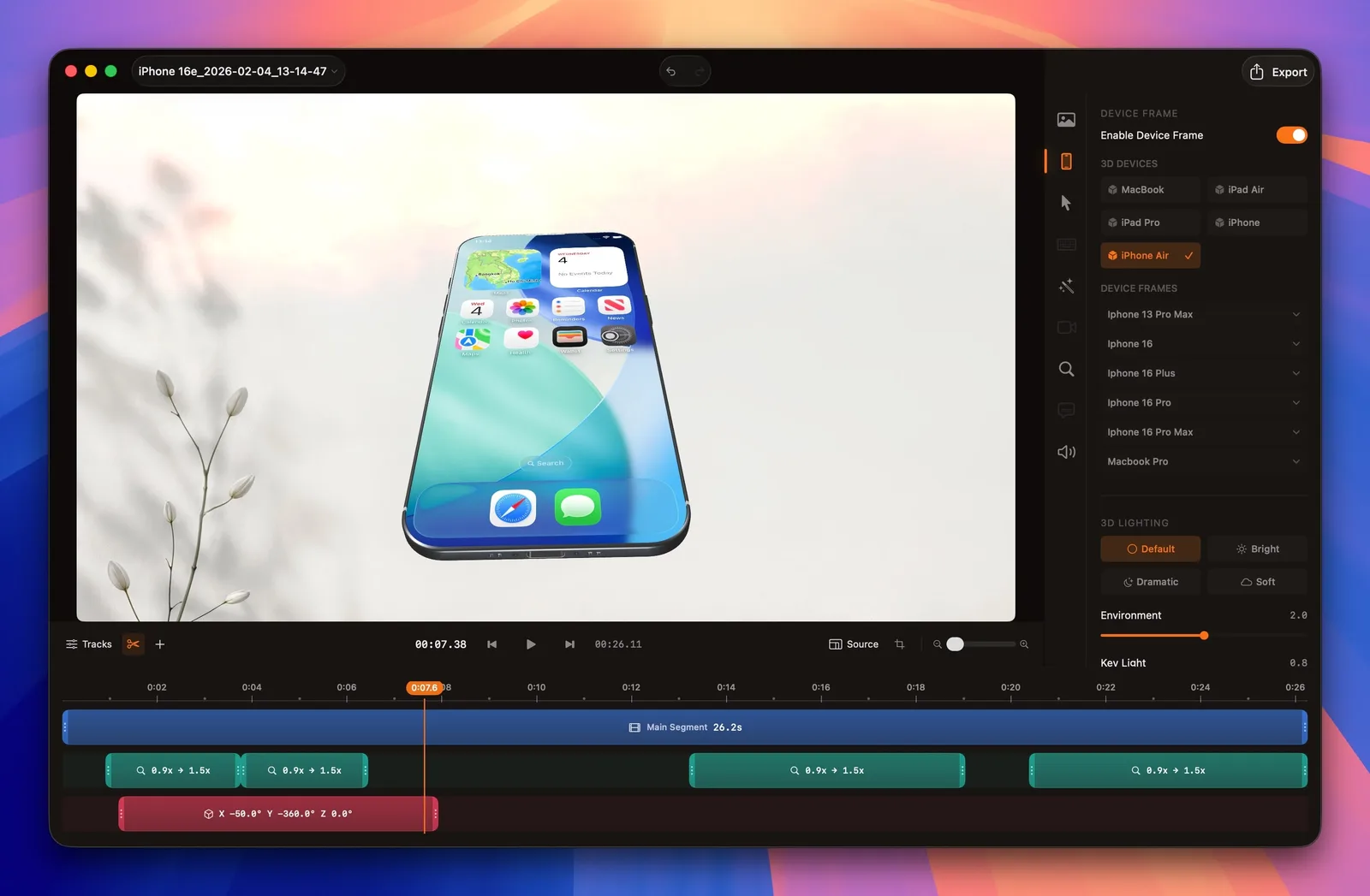
Three steps to a professional device mockup video
No design tools required. SmoothCapture handles the 3D rendering, perspective, and compositing automatically.
Choose your device
Select from a library of realistic 3D device frames including iPhones, iPads, and MacBooks. Each frame is modeled with accurate dimensions, bezels, and materials.
Record your app
Record your screen as usual with SmoothCapture. Capture your iOS app via QuickTime mirroring, or record your Mac app directly. All cursor effects and zoom features work as expected.
Export with frame
Your recording is automatically composited inside the 3D device frame with realistic perspective, shadows, and reflections. Export as a polished video ready for your website or App Store.
Supported devices
Choose from a growing collection of Apple device frames. Each model is accurately rendered with correct dimensions, bezels, and materials.
iPhone
iPhone 15, 16, and 16 Pro families
iPad
iPad Pro, iPad Air, and compatible iPad captures
MacBook
MacBook Air and MacBook Pro frames
Custom exports
Landscape, portrait, square, and social formats
Current library includes iPhone 16 Pro, iPhone 16, iPhone 15, iPad Pro, iPad Air, MacBook Pro, MacBook Air.
Before and after device frames
A plain screen recording shows your app. A device-framed recording shows your product. The difference is immediate and professional.
Without device frame
A raw screen recording is just a flat rectangle. Viewers see your app content but lack the context of which device it runs on. There is no sense of scale, no physical grounding, and no visual polish.
With 3D device frame
The same recording inside a 3D device frame immediately looks professional. Viewers understand the context — it is an iPhone app, an iPad experience, or a Mac workflow. Shadows and perspective add depth that flat recordings cannot.
Frequently asked questions
Can I add a device frame to an existing screen recording?
Yes. SmoothCapture lets you apply 3D device frames to recordings after they are captured. Import your screen recording into the timeline, select a device frame, and export. The frame is composited in real time during the editing process.
Which device frames are available in SmoothCapture?
SmoothCapture includes 3D frames for iPhone 16 Pro, iPhone 16, iPhone 15, iPad Pro, iPad Air, MacBook Pro, and MacBook Air. New device frames are added with software updates as new Apple hardware is released.
Are the device frames 3D or flat 2D mockups?
The device frames in SmoothCapture are rendered in 3D with realistic perspective, depth, shadows, and material reflections. They are not flat 2D overlays. You get a professional mockup look without needing a separate design tool.
Can I customize the background behind the device frame?
Yes. You can set a custom background color, gradient, image, or video behind the device frame. This lets you match your brand colors or create visually striking presentations for App Store previews and marketing materials.
Ready to record with device frames?
Download SmoothCapture and start creating professional screen recordings inside 3D device mockups.
macOS 15.2 or later