Find the API key before your viewers do.
Run a scan and SmoothCapture reads the text in your recording, finds sensitive details and masks them wherever they appear, even while the page scrolls.
macOS 15.2+ • free to try • pay once from $49
Five kinds of detail
Email addresses, API keys, card numbers, phone numbers and street addresses.
Follows the text
Masks stay on the text as it scrolls or moves, not on a fixed box.
You decide
Every finding is listed. Show or hide each one individually.
Always mask
Add words, such as a client or a codename, that should be masked in every recording.
Runs on your Mac
The scan runs locally and only when you start it.
Plus manual redaction
For anything that is not text, draw a Redact annotation over it.
How it works
- 01
Scan the recording
Open Privacy in the inspector, turn on Mask Sensitive Info and run a scan.
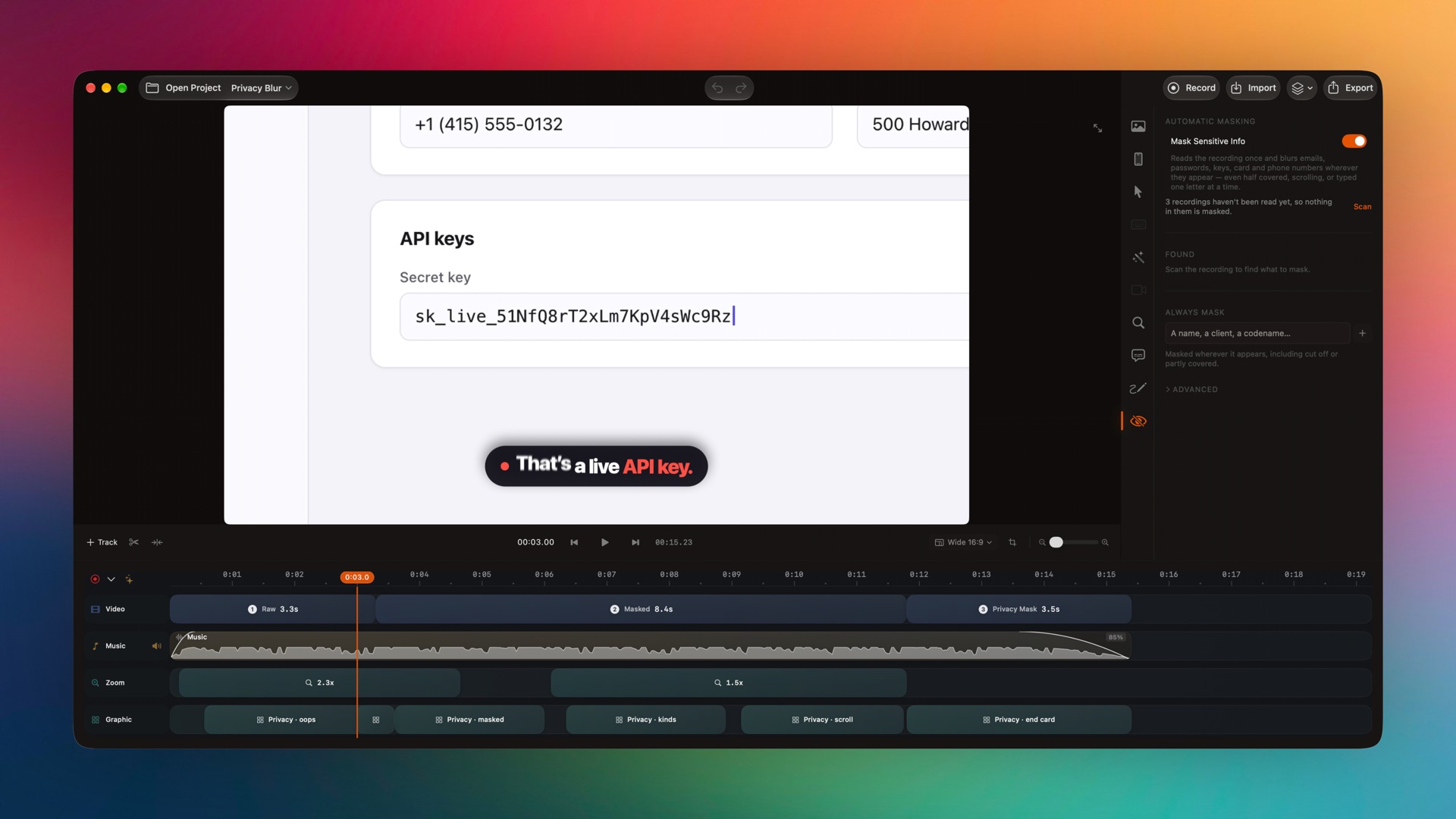
Captured from the editor with smoothcapture cli screenshot --pretty. - 02
Review what it found
Check the Found list and hide anything that should stay visible. Add Always Mask words for names that scanning would not recognise.
Common questions.
What does the privacy scanner detect?
Email addresses, API keys, card numbers, phone numbers and street addresses. You can add your own words to always mask.
Does the masking move with the content?
Yes. Masks track the text, so a key stays covered while the page scrolls.
Is my recording uploaded to scan it?
No. Text recognition and masking run on your Mac, and only when you start a scan.
Works well with
Try it on your own recording.
Record and edit for free. A licence unlocks export.
